Easy image sharpening in Photoshop
Here's a simple tip I picked up to quickly sharpen images in Photoshop using the High Pass Filter.
Quick sharpening 
Here’s an image of my new desk taken with my camera phone. You can see that the quality is not great. Really it needs to be sharper. Thankfully photoshop allows a simple way to quickly sharpen images.
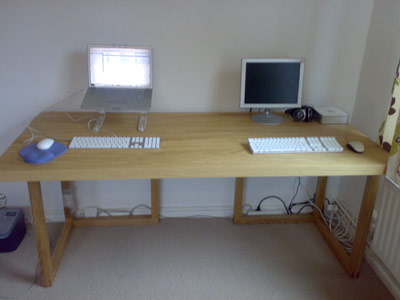
It is good practice when you are changing an image to take a copy of the layer. This way if anything goes wrong you can revert to the original. So first of all I’m duplicate the layer.
Then on the layer copy apply the High Pass filter. You’ll find this under Filter > Other > High Pass. Here’s what we end up with - horrible!
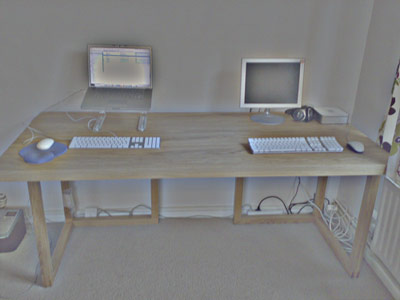
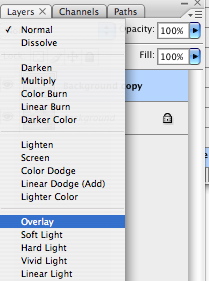
But fear not. Change the blend mode to Overlay. You’ll find this option in the Layers Panel. Apply that and the image is sharpened!
Here’s the before and after
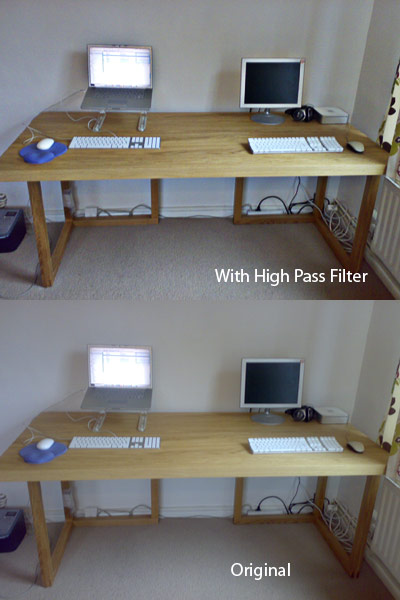
A simple tip but one I found I have already used over and over again.
Tags
Can you help make this article better? You can edit it here and send me a pull request.
See Also
-
Photoshop 101 - Transparent Fills
Photoshop doesn't come with the same one-click ability as Illustrator to make the fill of shapes or objects transparent. Here's a workaround. -
The New Photoshop Logo
I'm not often moved to criticise other designers work. It is their livelihood after all. But the new Photoshop logo falls well short of the mark. -
Dotted lines in Photoshop
Designing for the web in Photoshop has one thing missing - dotted lines. Here's how to create dotted lines so you can show clients how links will look.