Basics of Objective-C
My notes from working through Assignment 1B of the Stanford iPhone development course
Objective-C 101 
The second Stanford iPhone development course assignment focusses on understanding more Objective-C. At the time of writing the PDF is still available from the Stanford CS193P website.
A simple command line script 
The assignment is to create a simple command line script to make an introduction to Objective-C.
The first thing that was a little bit different for me was understanding main which basically functions a bit like a constructor class in PHP (excuse my Objective-C ignorance if this is totally wrong). Objective C is also upside down from what I’m used to so main comes at the end.
#import <Foundation/Foundation.h>
- void PrintPathInfo() {
  // Code from path info section here
}
int main (int argc, const char * argv[]) {
  NSAutoreleasepool * pool = [[NSAutoreleasePool alloc] init];
  PrintPathInfo();
  PrintProcessInfo();
  PrintBookmarkInfo();
  PrintIntrospectionInfo();
Syntax is more verbose from say Ruby so declaring a string is
NSString *path = @"~";
instead of
path = "~"
The whole NS thing relates to NeXTSTEP, an operating system that Apple bought back in the day. The NS prefix has stuck around (I’m not really sure why) so pretty NS is everywhere in Objective C - NSLog, NSAutoreleasepool etc.
Creating the project 
I’m on the iPhone 4.0 SDK and the menus had moved around a bit. To create a Foundation Command Line Tool go to Mac OSX > Application > Command Line tool and then select Foundation from the Type dropdown.
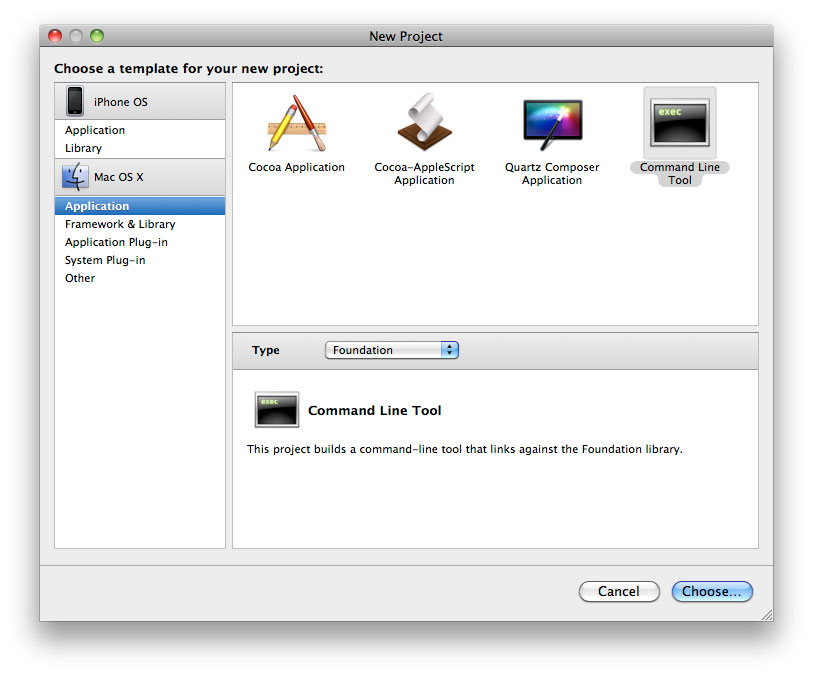
When you run the application you want the console up so you can see what’s happening. You can access this via Run > Console
Working through the tasks 
There are four tasks in the assignment which relate to the functions in the code above. I found the following documentation really useful in understanding the requirements:
- NSString documentation, especially stringByExpandingTildeInPath for the first task.
- NSProcessInfo documentation for the second task
- NSMutableDictionary for the third task
- NSObject Protocol Reference for the final task especially isMemberOfClass, isKindOfClass, respondsToSelector and conformToProtocol
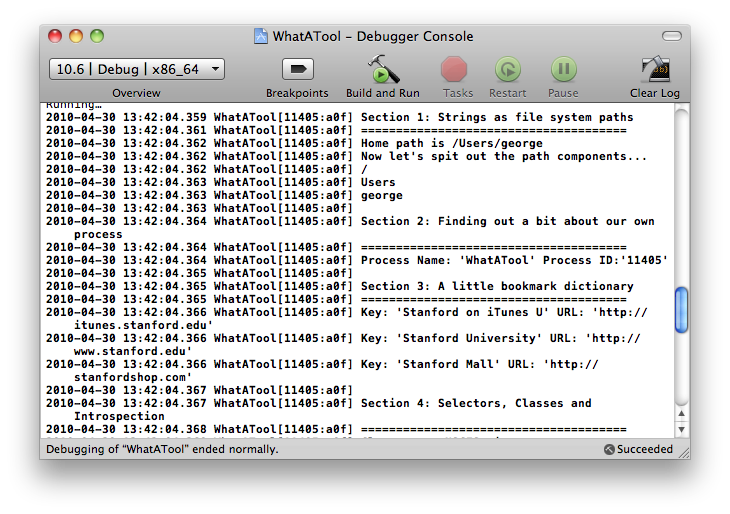
Outputting to the console 
The task isn’t sexy but helped me to understand Objective-C a lot more
Source code 
I’ve made the source code for my working through the examples available on Github. Bear in mind I’m starting out so I’m not suggesting this is best practice code.
Tags
Can you help make this article better? You can edit it here and send me a pull request.
See Also
-
Learning iPhone Development - Interface Builder
I'm following along with the Stanford University iPhone development Winter 2009 course. In this article I walk-through assignment 1A and create a simple view using Interface Builder. -
Beginning iPhone Development
I've recently started to learn to develop for the iPhone and iPad platforms. There are plenty of resources available for beginners and if it helps anyone I'm listing them here.